

For registered dietitians
Meal planning for dietitians, with recipes your clients can use.
Keep the recipes you trust in one place, build a week of meals once and reuse it, check the numbers, and send clients a clean cookbook.
Free for registered dietitians. Pro adds templates and nutrition analysis.
How it works
From your recipe file to the client's kitchen.
Collect the recipes you already recommend, check them, plan the week, and share it.
-
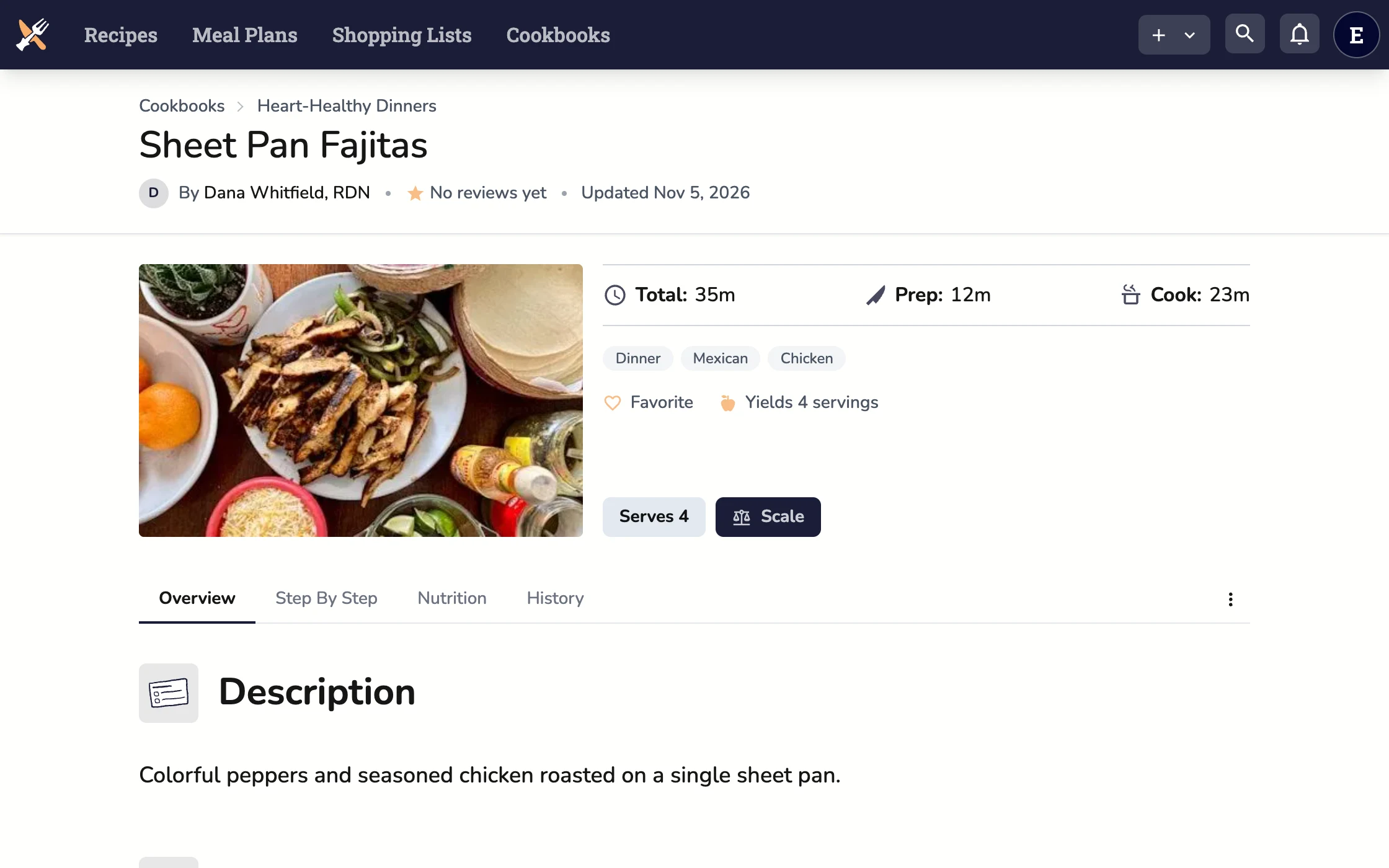
1 Collect
Bring in the recipes you trust.
Paste a link to a recipe you already recommend. The photo, ingredients and steps land in your cookbook, ready to edit.
-
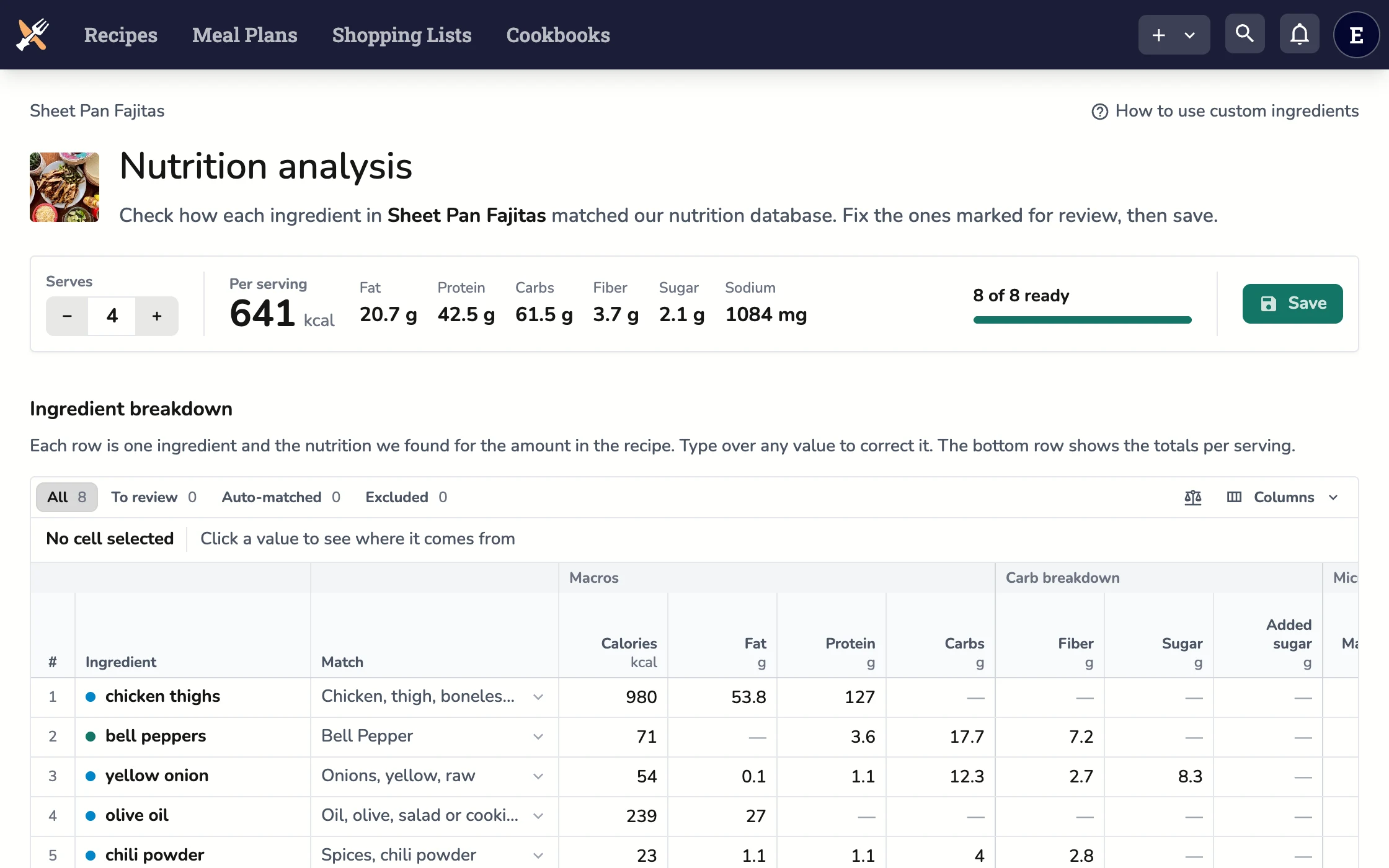
2 Check
Check the numbers.
Every ingredient is matched and weighed for you. Swap any match you'd pick differently, then save it as Dietitian Verified.
-
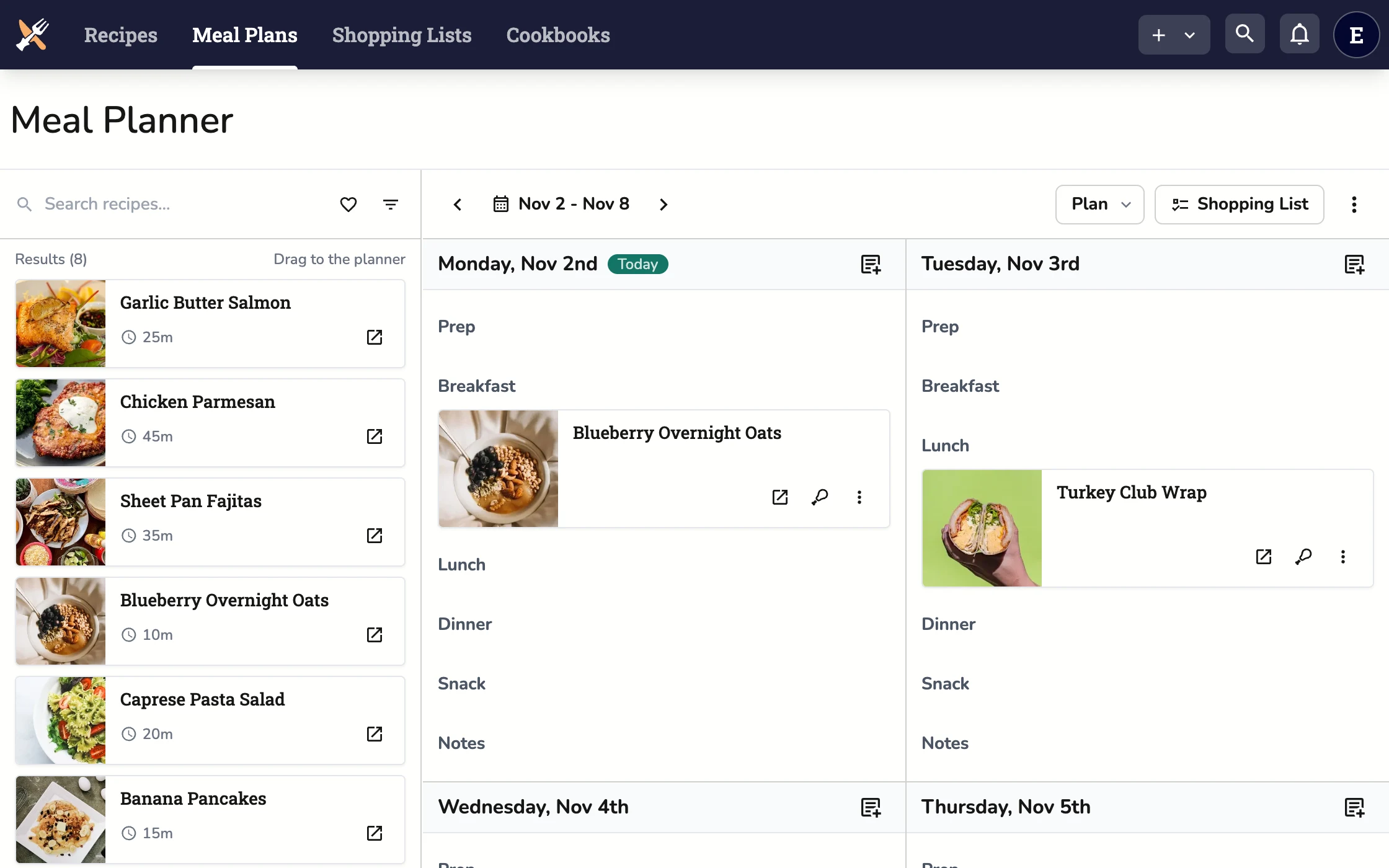
3 Plan
Build the week once.
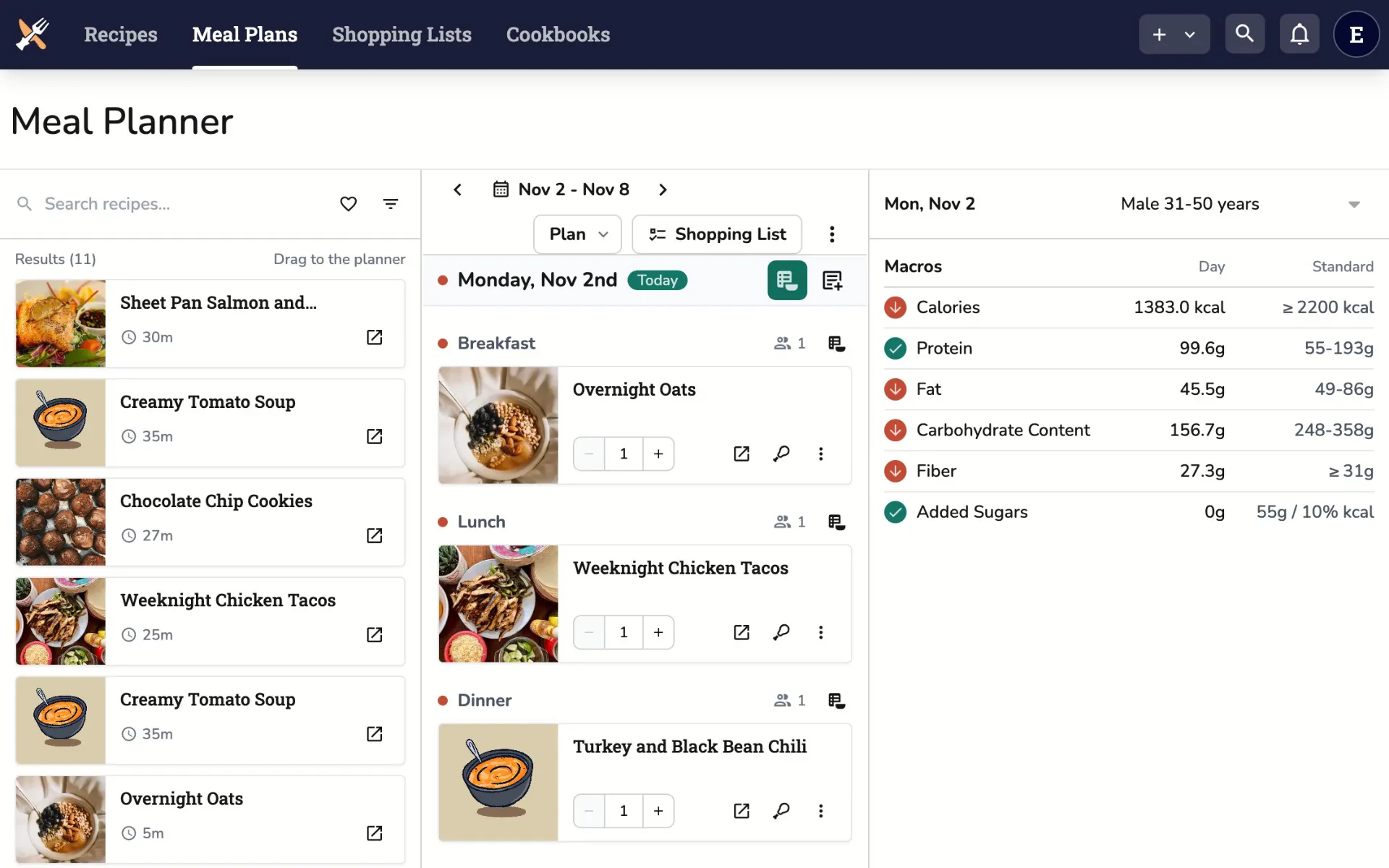
Put recipes on days in a reusable template, and see each day's totals as you go.
-
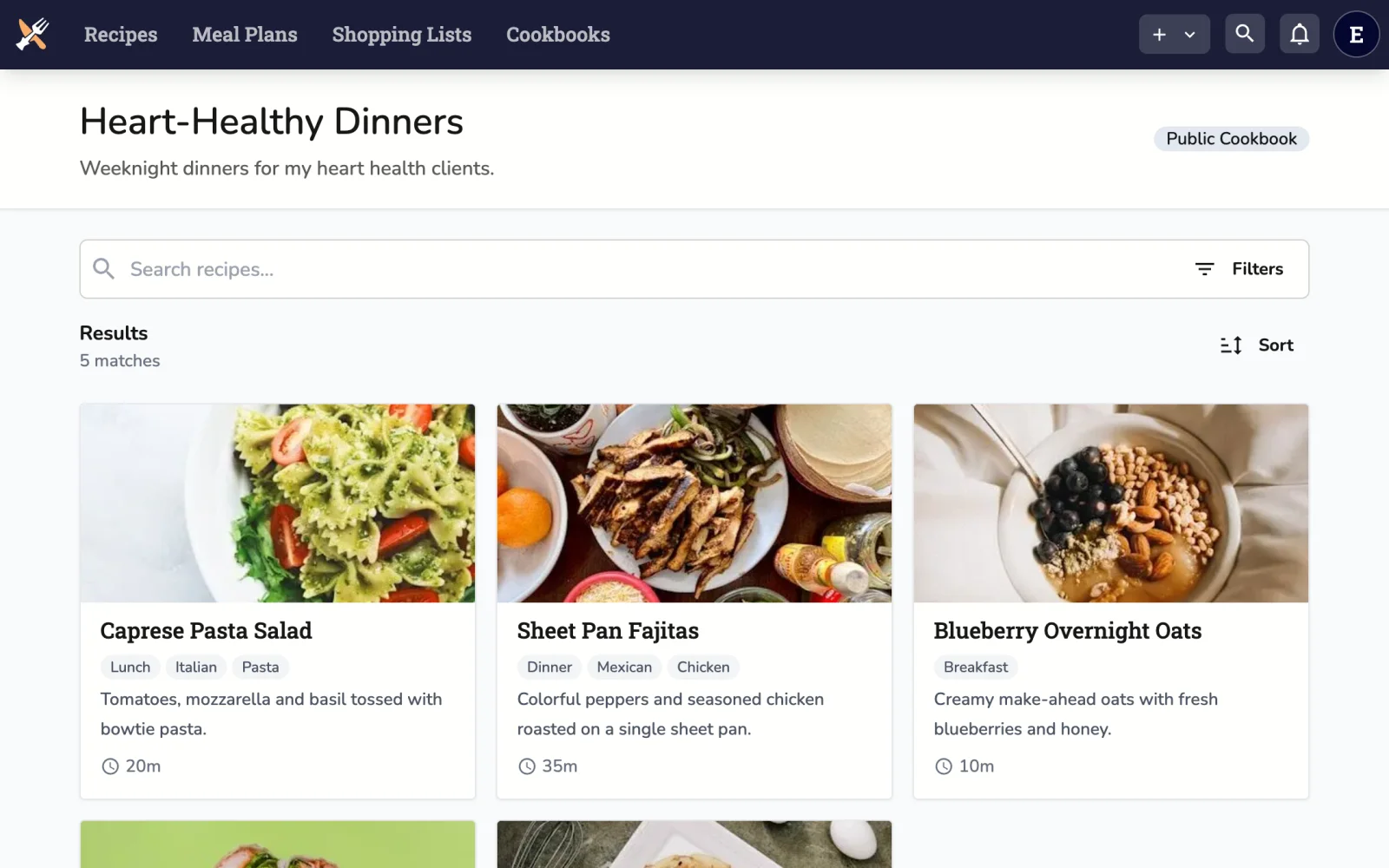
4 Share
Send a cookbook, not a link dump.
Share a cookbook with a link. Clients search and print clean recipes, with no account.
Meal planning
Build the week once. Reuse it for every client with the same needs.
Writing a plan from scratch for every client eats your week. Make a template for each kind of client, check it against your standard, and print it for the session.
- Templates with numbered days.
- Build “Low-sodium week 1” once, then apply it to any start date and skip the weekdays you don't need.
- Day totals against your standard.
- Check each day and each meal against a nutrition model: a built-in one based on the Dietary Reference Intakes, or one you set up.
- A printout for the session.
- Print the week, with its nutrition, to hand over or send as a PDF.
Recipe analysis
Recipe nutrition analysis you can check.
Most of the work is done when you open it. You review what's flagged, swap anything you'd match differently, and save.
- 1
It matches each line for you.
Open a recipe's analysis and each ingredient is matched to a food and weighed in grams, using your own foods and past picks first, then USDA and our verified foods.
- 2
It shows what needs you.
Per-serving totals appear right away, with a count of the lines it couldn't settle: no match, no weight for the unit, or no amount. Water, black pepper and to-taste salt are left out for you.
- 3
You check and override.
Swap any match for a better food from USDA, our verified foods or your own, or type over a value. Your pick is remembered for that ingredient across your recipes.
- 4
Save it, verified.
The per-serving nutrition goes on the recipe with a Dietitian Verified badge, and from there into printouts and your meal plan's day totals.
AI only helps with matching if you've turned AI on in your settings.




Where the numbers come from
Data you can trace.
Each match names the food it used, so you can check it against its source.
- USDA FoodData Central. Foundation Foods and SR Legacy, USDA's data for generic foods rather than branded products.
- Dietitian-verified foods. Our own database of nutrition facts, verified by a registered dietitian, which matching draws on.
- Open Food Facts. Generic staples we compute from the median of many Open Food Facts products.
- Foods you add yourself. Enter a food by hand, look it up by barcode, or have AI read it from a photo of the label.
Sharing
What you send home with clients.
Instead of a recipe blog and a stack of PDFs, one link for the recipes and one for the handouts.
-
Cookbooks
- Organize by condition, diet or client
- Share with a link, delete it to take access away
- Clients search and print with no account
- As many cookbooks as you need
-
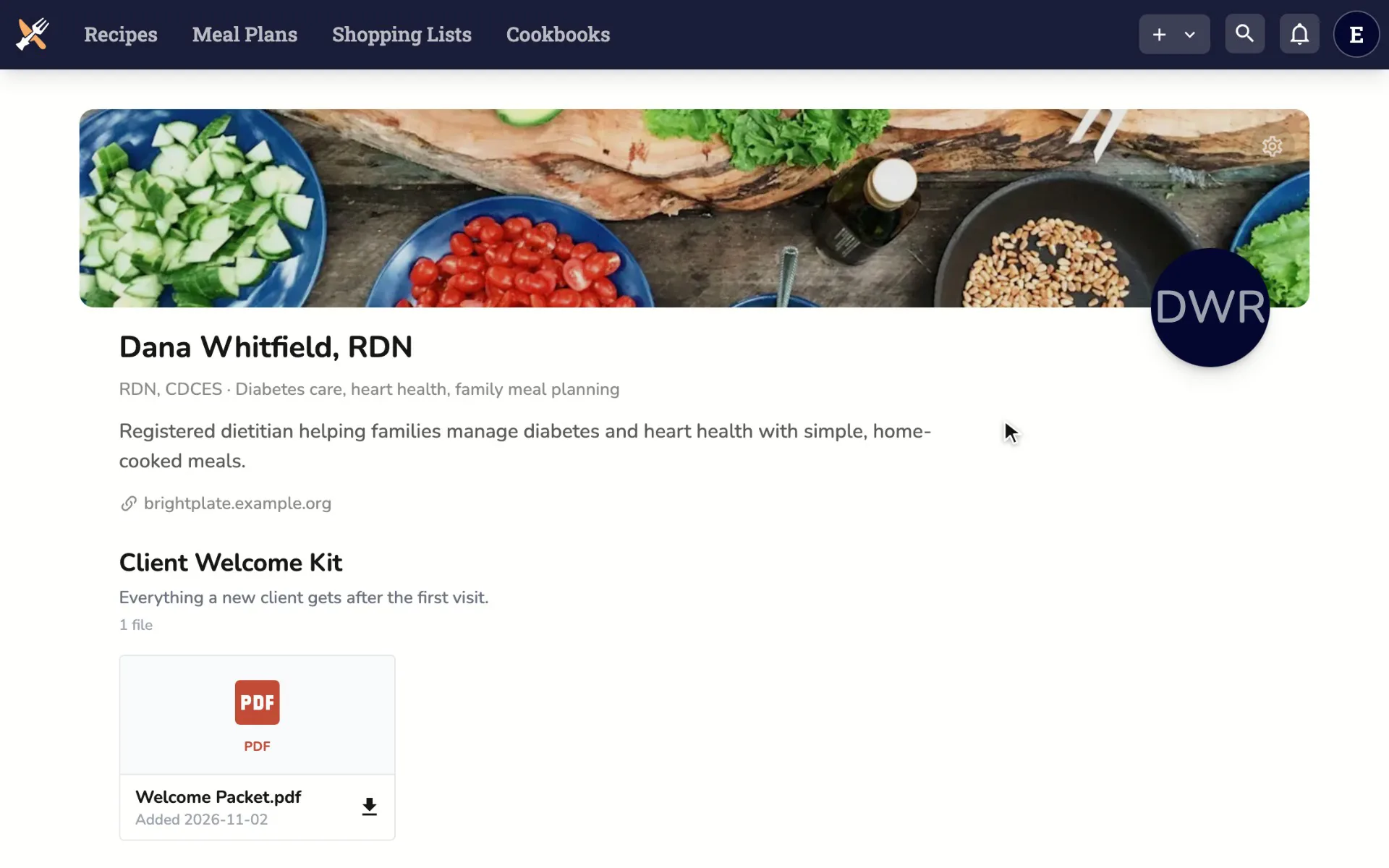
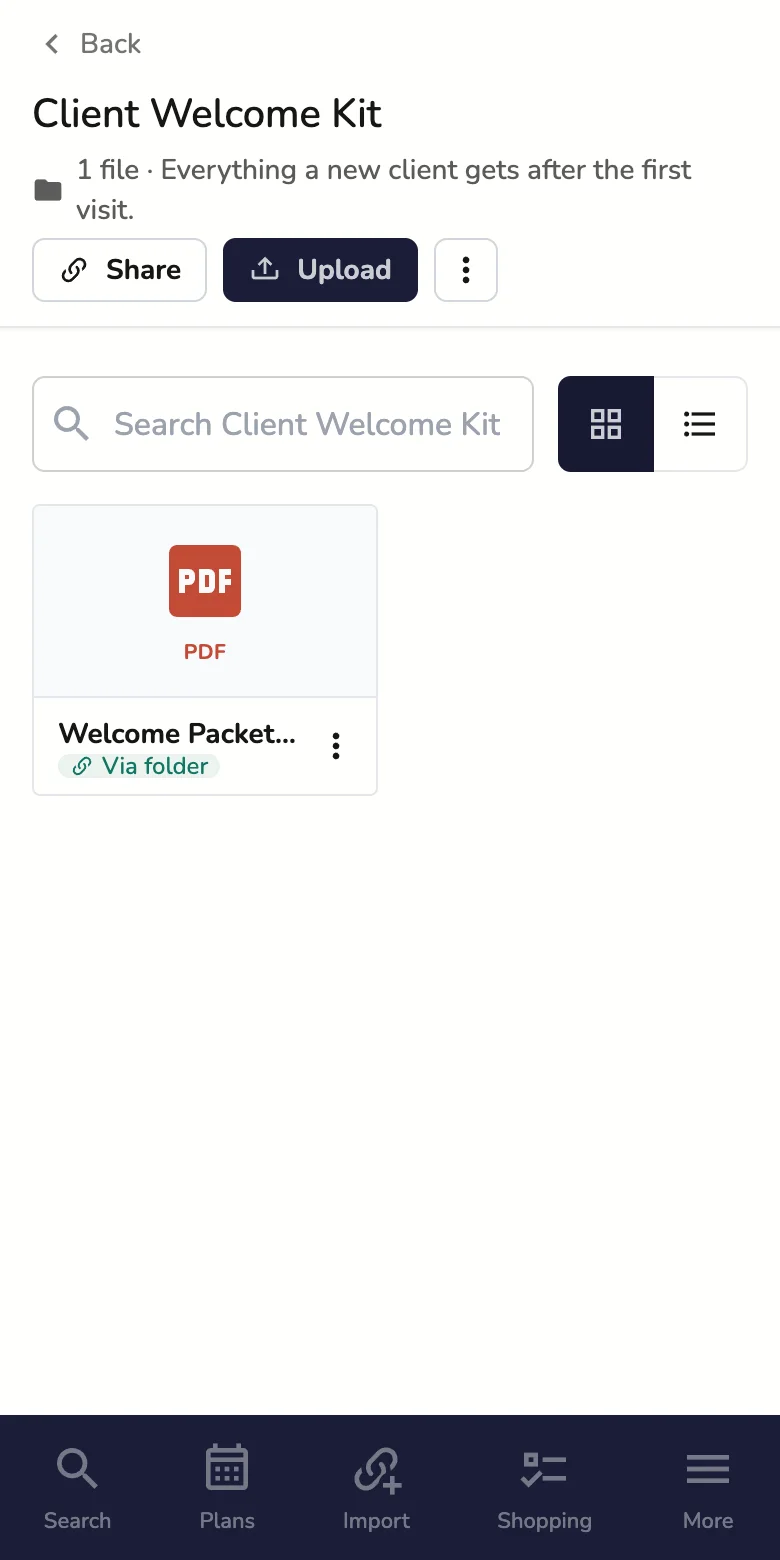
Handouts
- Keep your education materials in folders
- Share a folder or one file with a link
- A page with your name and profile
- For general materials, not patient information
Pricing
Free to start. Upgrade when you need more.
Request an account with your CDR number. We check it and turn your features on.
All plansDietitian
Cookbooks and handouts for clients.
Free
Request with your CDR number
- Unlimited recipe cookbooks
- Sharing by link
- Clients view with no account
- Handouts in shareable folders
- Manual nutrition entry
Dietitian Pro
For growing practices.
$29 a month
14 days free
- Everything in Dietitian
- Macro and micronutrient analysis
- Meal plan templates
- Bulk recipe printing
Dietitian meal planning FAQ
Something else? Email us.
Is it really free for dietitians?
Yes, for registered dietitians. Request an account with your CDR number and we set it up for you. There's no card to enter.
What does Dietitian Pro add?
Nutrition analysis for recipes and meal plans, meal plan templates and bulk recipe printing. It's $29 a month after 14 days free, and it's invoiced.
Do my clients need an account?
No. They open your cookbook or handout link and can view, search and print. Meal plans reach them as a printout, not a plan they edit.
Can clients see the nutrition?
Not in the shared cookbook yet. When you print a recipe or a meal plan, you can include its nutrition.
Where does the nutrition data come from?
USDA FoodData Central (Foundation Foods and SR Legacy), our own dietitian-verified foods, and generic staples built from Open Food Facts. You see each ingredient's match and can change it before you save.
Can I keep patient information here?
No. Recipinned isn't built for protected health information. Keep handouts to general education materials, and leave client details out of cookbook names.
Can I connect an AI assistant?
Yes. Connect Claude, ChatGPT or another MCP assistant, and it can search your recipes, fill in your plan and, with Pro, analyze a recipe's nutrition.