


For Title III-C, Title VI and community meal programs
Menu planning for senior meal programs.
Write the cycle menu once, check every meal against Older Americans Act targets, get your dietitian's sign-off, and hand your state reviewer a menu analysis report.
Single Site is $99 a month. Multi-Site is priced with you.
How it works
From one cycle menu to every meal site.
Write the cycle, check it, then see what each site serves and who's on its team.
-
1 Write
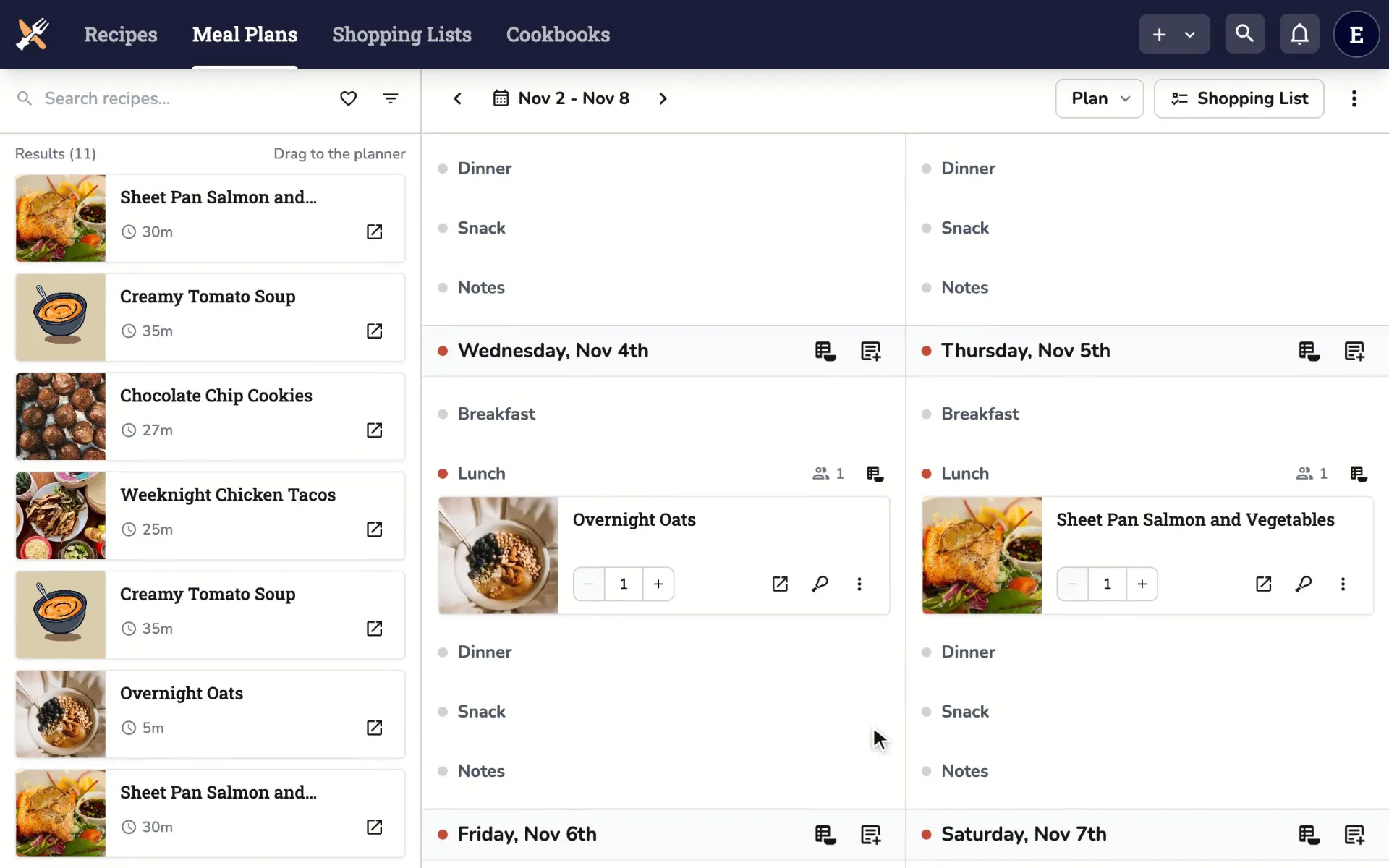
Write the cycle once.
Build your cycle menu as a template, then apply it to your calendar from any start date.
-
2 Check
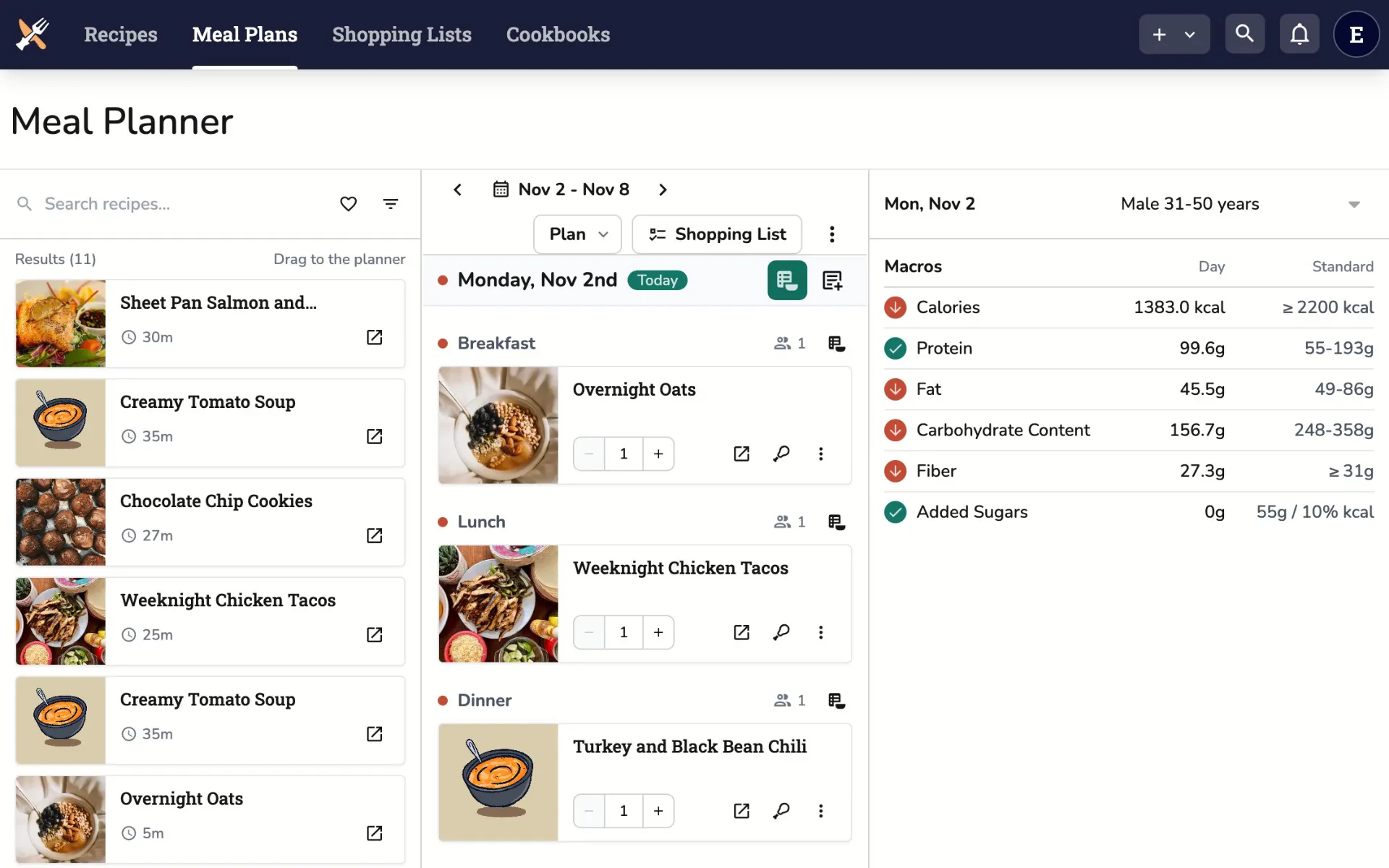
Check every meal.
Check each meal and day against built-in Older Americans Act targets, or average them across the week or cycle.
-
3 Oversee
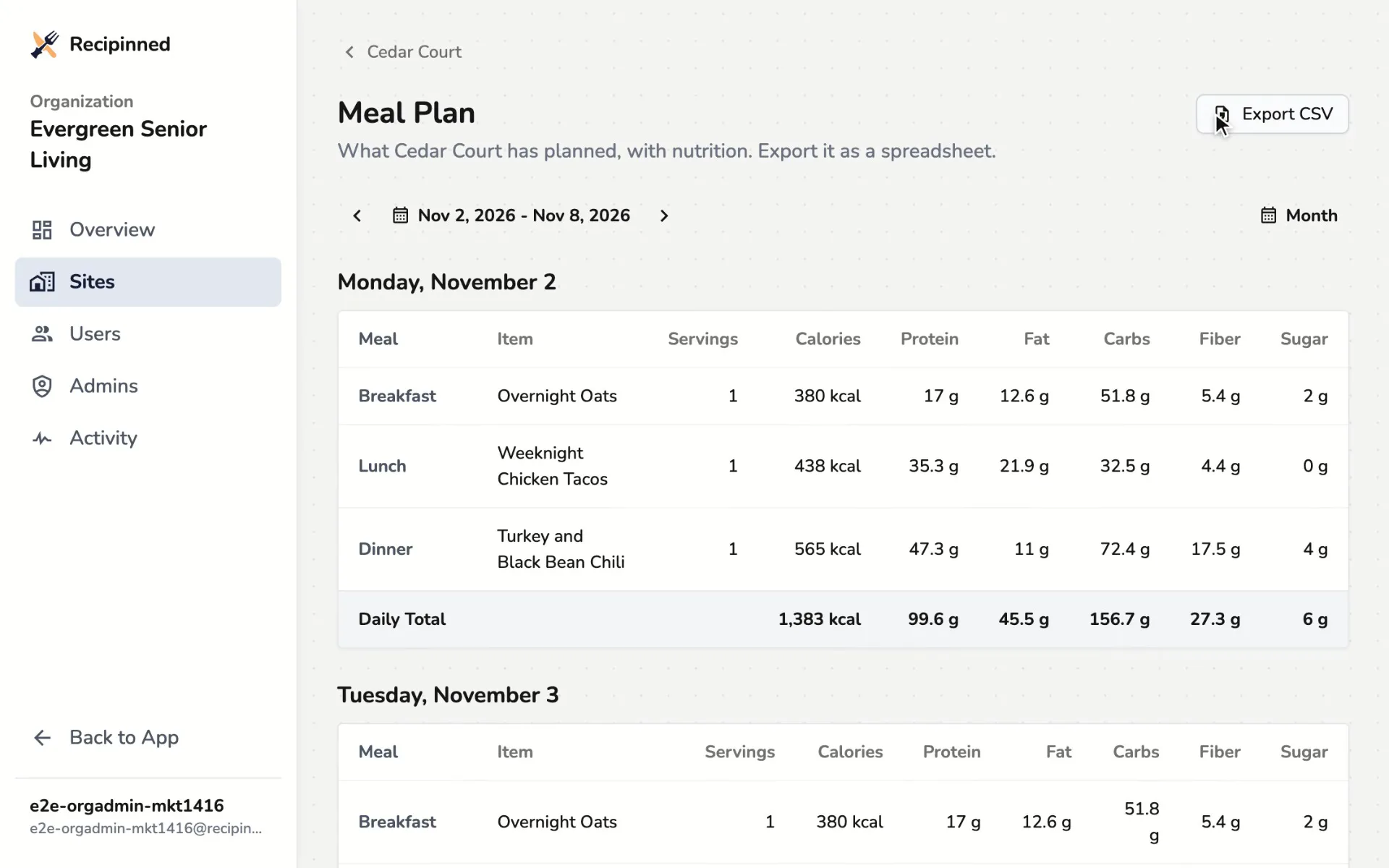
See every site's menu.
Send one cycle to every site, then see each site's menu against its targets in your organization portal.
-
4 Staff
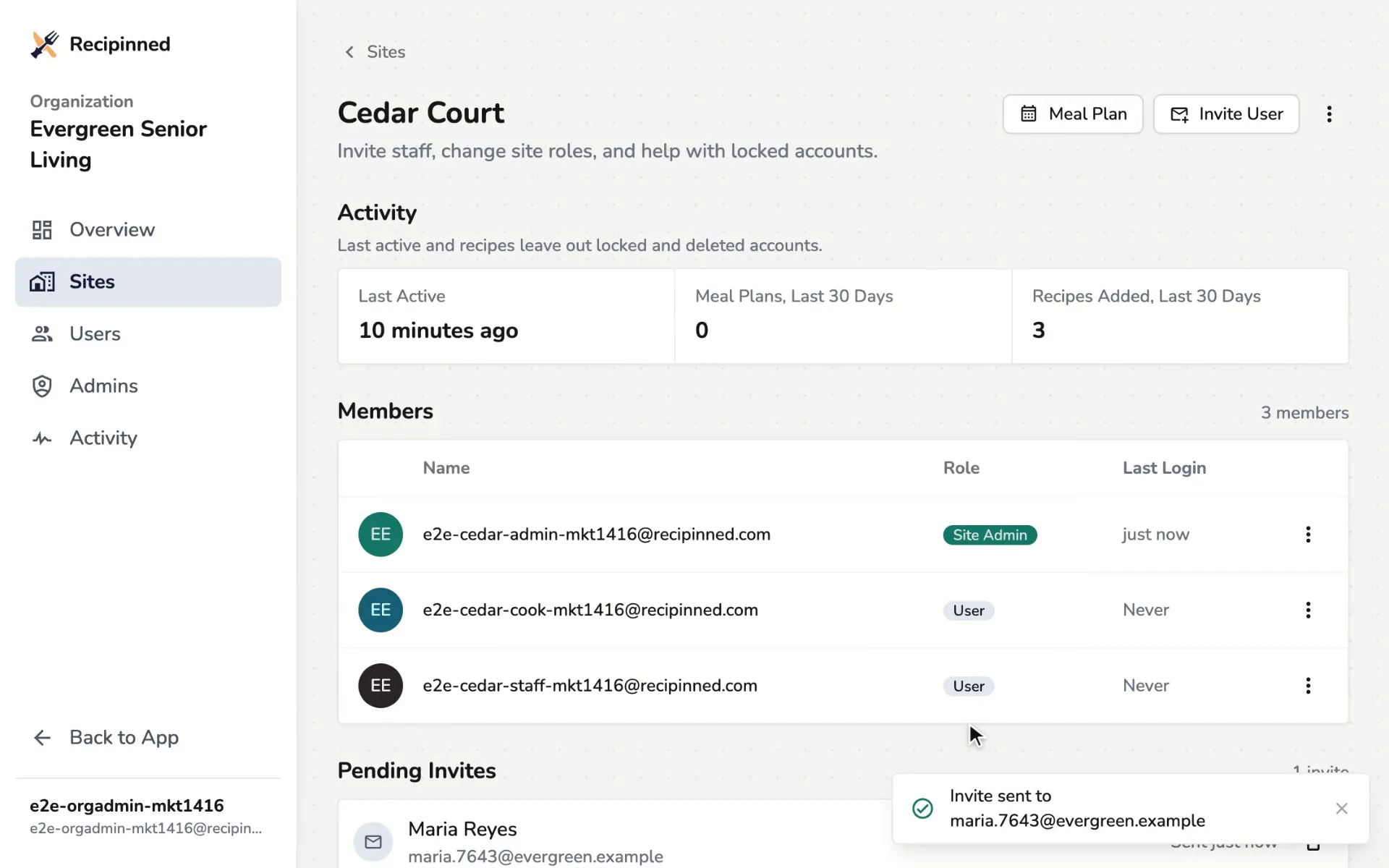
Bring your team on.
Invite staff to their site as a Site Admin or a User, so every kitchen works from the same recipes.
Two people, one menu
Made for the dietitian and the director.
Your dietitian approves the menu. Your director answers for the grant. Both get what they need from the same cycle.
For the dietitian
Approve a menu you can check.
- Older Americans Act targets for adults 60 and over, built in
- Every nutrient on ACL's list, vitamins included
- Check by meal, by day, or averaged over the week or cycle
- Sign off on the cycle in the app, with your credential and date
For the director
Spend grant money on meals, not hours.
- One cycle menu sent to every site
- A menu analysis report ready for your state reviewer
- Every site's recipes, menus and analysis reports, exported for monitoring visits
- Invoiced monthly, yearly or prepaid to fit your grant
Day to day
When the week doesn't go to plan.
Deliveries run short and headcounts change. These are the jobs that come after the cycle is written.
-
Swap a meal
Put a different recipe on the day, then check the day's numbers again before it reaches the kitchen.
Substituting menu items -
Scale for the headcount
Set how many meals you serve as a default, then change it for the days that differ.
Scaling servings -
Move or swap days
Shift a run of days to new dates, or trade two ranges, without rebuilding the cycle.
Moving days -
Hide meals you don't serve
Turn off the meal types your program doesn't serve, so the planner shows only what you plan.
Hiding unused meals -
Print for the kitchen
Print the menu and recipes for staff, with a nutrition facts label for each serving.
Printing meal plans -
Order what the menu needs
Build shopping lists from your meal plans, with amounts added up and grouped by food category.
Creating shopping lists




Who it's for
Facility menu planning for every kind of meal site.
Whether you serve at a senior center, on a delivery route or at a tribal elder facility, one cycle menu and one set of targets cover every meal.
- Congregate meals. Title III-C1 meals at senior centers and meal sites.
- Home-delivered meals. Title III-C2 meals delivered to older adults at home.
- Tribal elder nutrition. Title VI programs, with your own traditional and local foods.
- Community non-profits. Small meal providers with a dietitian who approves the menu.
Multi-Site
One portal for every site.
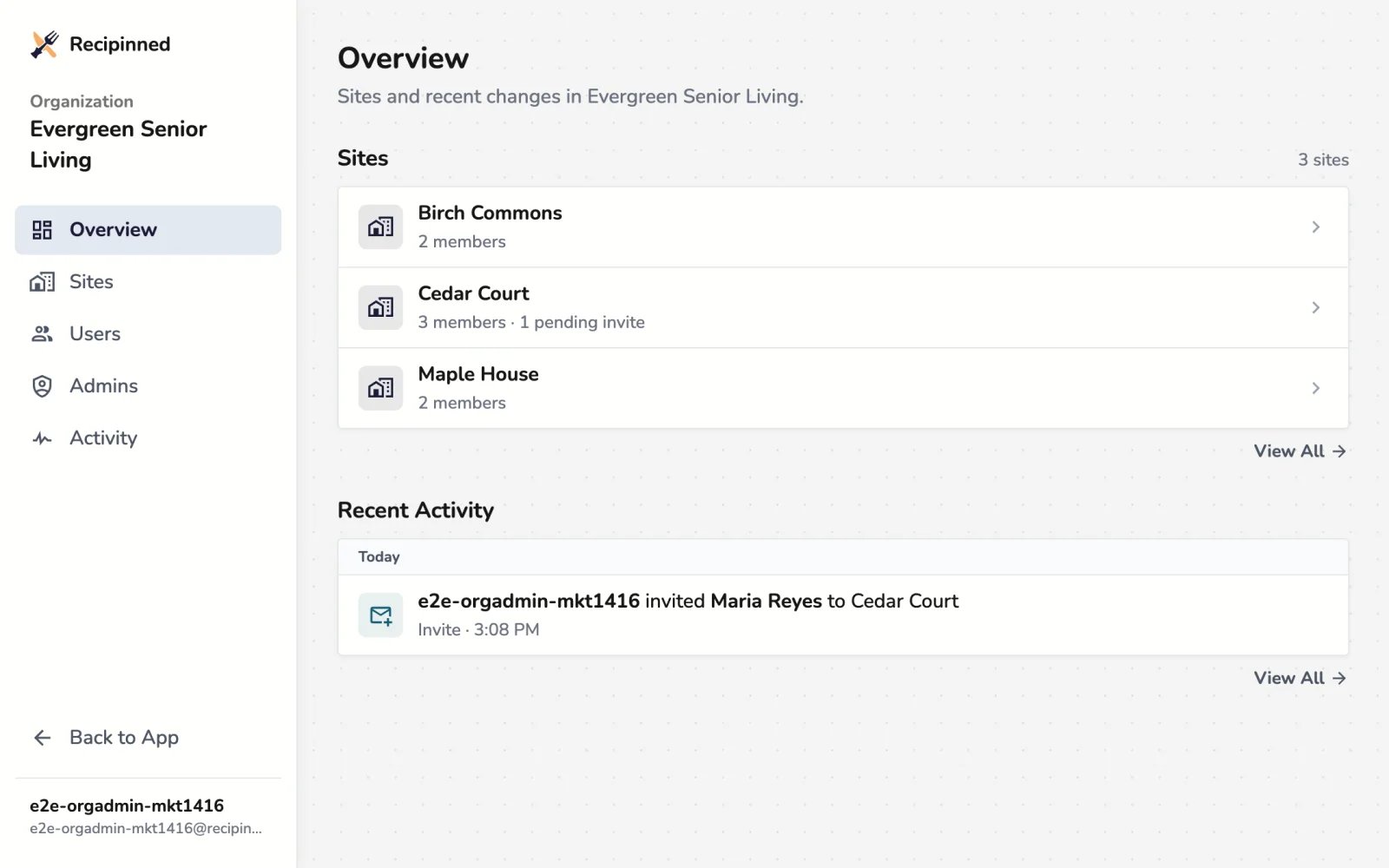
See each site, its menu and its people. Client records and program reporting stay in the system you use now.
- Send a cycle menu to every site at once
- Each site's days against its nutrition targets
- Each site's meal plan as a CSV
- Invite staff as a Site Admin or a User
- Two-factor sign-in, account locks and password resets
- A log of every invite, role and site change
Pricing
Priced for grant budgets.
Tell us about your program. We set up your account, turn your features on and invoice you.
All plansSingle Site
For one facility and its team.
$99 a month
Invoiced
- 10 staff users, more on request
- Meal plan templates for cycle menus
- Nutrition checks against USDA-based models
- Meal plan servings scaled for your counts
- Shopping lists and printing from your plans
- Email support and a training webinar
Multi-Site
For organizations with several locations.
Custom
Priced with you
- Everything in Single Site
- An organization portal for sites and staff
- Custom nutrition models
- Custom data migration
- A dedicated account manager
Senior meal program menu planning FAQ
Looking for setup steps? Browse the facility help center.
Which meal programs are facility plans built for?
Older Americans Act Title III-C and Title VI meal programs, and small community non-profits, with a dietitian who approves the menu.
Does it meet Older Americans Act requirements?
Built-in models set the Act's targets for adults 60 and over: a third of the Dietary Reference Intakes for one meal a day, two-thirds for two meals and all of them for three. Each meal and each day is checked against them, and your dietitian signs off on the cycle. Your state still decides how adherence is shown, so tell us what it reviews.
Which Dietary Guidelines do the models follow?
The 2025-2030 Dietary Guidelines for Americans. Alongside the Older Americans Act models there are built-in models by age and sex. On Multi-Site you can clone any of them to set your own targets.
Which nutrients does it check?
Calories, protein, carbohydrate, fat and saturated fat, fiber, sugars and added sugars; vitamins A, B6, B12, C and D; calcium, iron, magnesium, phosphorus, potassium, sodium and zinc; and the vegetable, fruit, grain, dairy and oil food groups.
Can it average nutrition across the week or cycle?
Yes. Check a menu meal by meal, day by day, or as a weekly or whole-cycle average, to match how your state reviews menus.
Can it produce what our state asks for?
Yes. The menu analysis report shows each meal and day against your targets, with your dietitian's approval and the date. Print it or save it as a PDF for your files and monitoring visits.
Can we add traditional or local foods?
Yes. Add a food with its own nutrition, entered by hand, read from a barcode or taken from a photo of the label, then use it in any recipe.
Does it replace our client tracking system?
No. Client records, attendance and program reporting stay in the system you use now. Recipinned does the menus beside it, with no integration.
Does it handle allergies or therapeutic diets?
No. Recipinned plans the menu. Individual diets and allergy records stay in your client tracking system.
Do we need our own dietitian?
Yes. Recipinned gives your dietitian the menu and its numbers to review, but we don't provide a dietitian.
How many sites and staff can we have?
Single Site covers one location. Multi-Site is sized to your organization. Each site starts with 10 staff seats, with Site Admin and User roles, and we can add more.
Can we pay from a grant?
Yes. We invoice, monthly, yearly or prepaid for several years, so you can match your budget period.
Can we bring our existing recipes?
Yes. Import from a link, pasted text, a photo or schema.org JSON. Photo import uses AI, so it needs AI turned on in your settings. For large collections, we can plan a migration with you.
What training do you provide?
Facility plans include a live training webinar for your team, along with our help center guides.
Is our data secure?
Organization admins sign in with two-factor authentication, and every admin action goes in an activity log. Recipinned plans menus and isn't built to hold health records, so client information stays in your tracking system.
Can we take our data with us?
Yes. Export the whole organization: every site's recipes, cycle menus and menu analysis reports.
Schedule a demo
See it with your own menus.
Tell us about your program and we'll set up a demo around how your dietitian plans and checks the cycle.
Request received
We'll reach out within 1 business day to schedule your demo.