
Hiding Unused Meals
Learn how to hide meal types (Breakfast, Lunch, Dinner, Snack) that your facility doesn't serve to streamline your meal planning view.
Many facilities only serve certain meals throughout the day. For example, you might only serve lunches or only serve lunch and dinner. Recipinned allows you to hide unused meal types to keep your meal planning interface clean and focused.
Why Hide Unused Meals?
Hiding unused meals helps you:
- Simplify your view - Only see the meals you actually serve
- Reduce confusion - Eliminate empty meal slots from your planning
- Streamline workflow - Focus on the meals that matter to your operation
Step-by-Step Instructions
1. Open Meal Plan Settings
- Navigate to your meal plan page
- Click the More Actions button (the three dots at the right of the toolbar)
- Select Meal Plan Settings
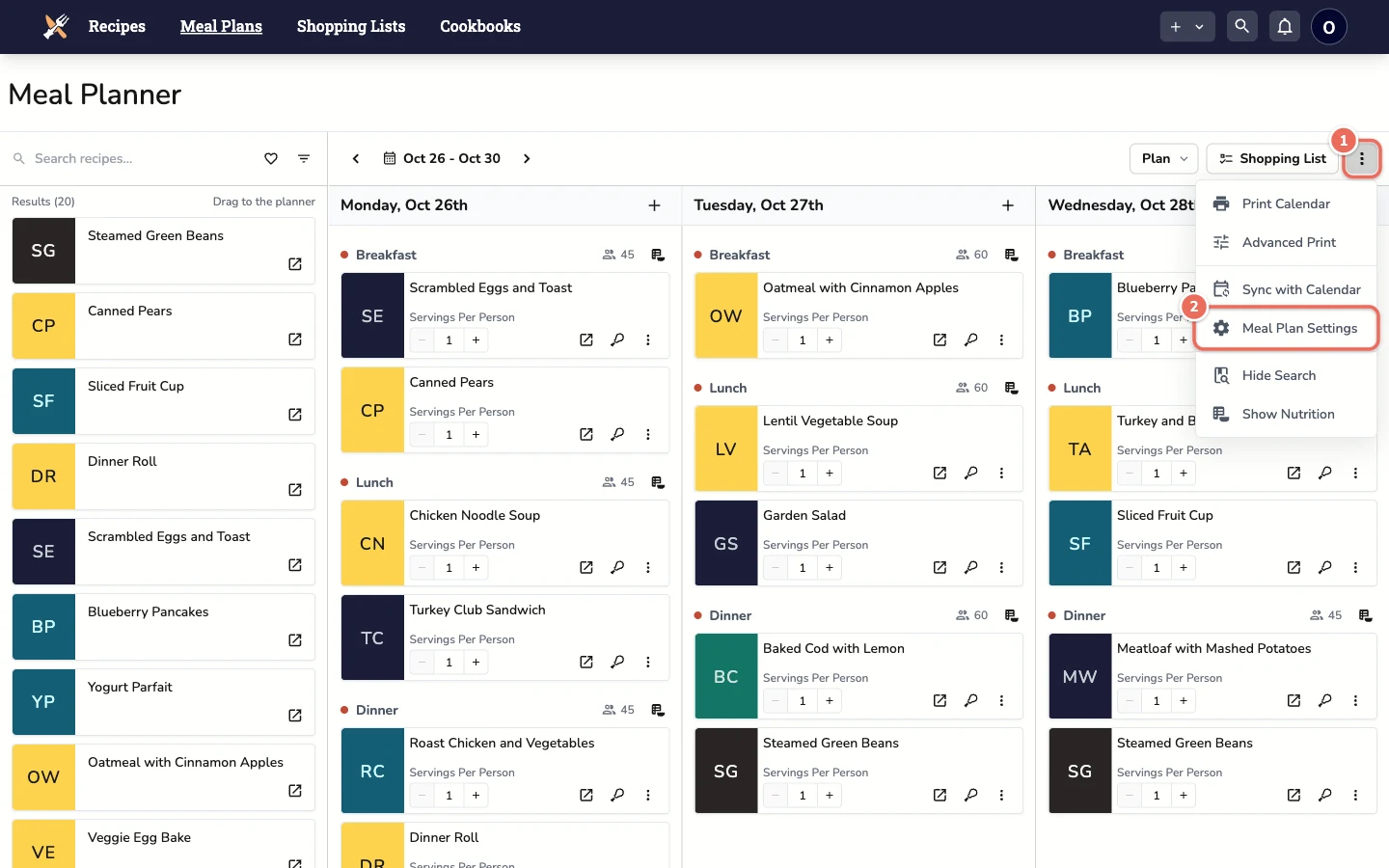
Note: For facility accounts, only a site admin can change meal plan settings. Staff can view them, but a change shows an error and the toggle goes back.
2. Configure Meal Types
-
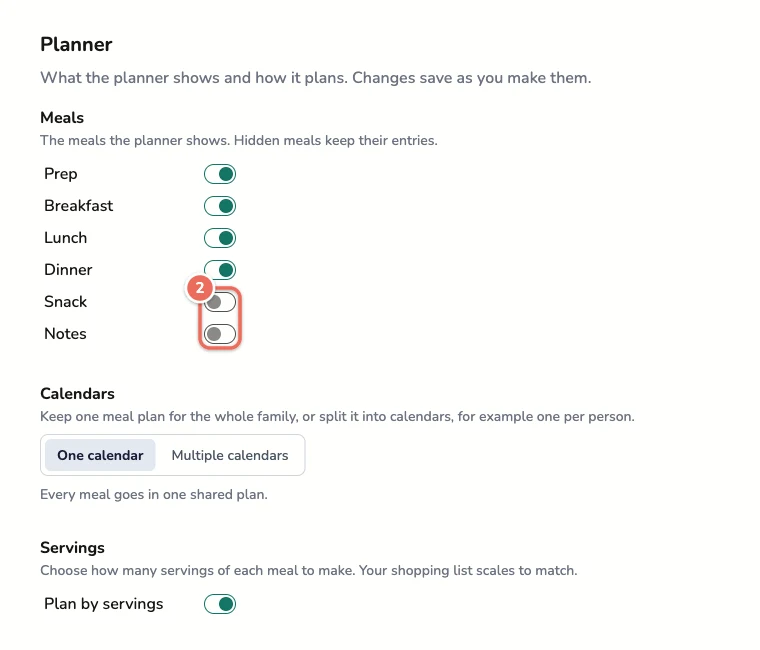
In the Meal Plans section, under Enabled meals, you’ll see a button for each meal type:
- Prep
- Breakfast
- Lunch
- Dinner
- Snack
- Notes
-
Click the meals you don’t serve at your facility to turn them off. Each change saves right away.
You can’t turn off the last meal, so the planner always shows at least one.
3. View Updated Meal Plan
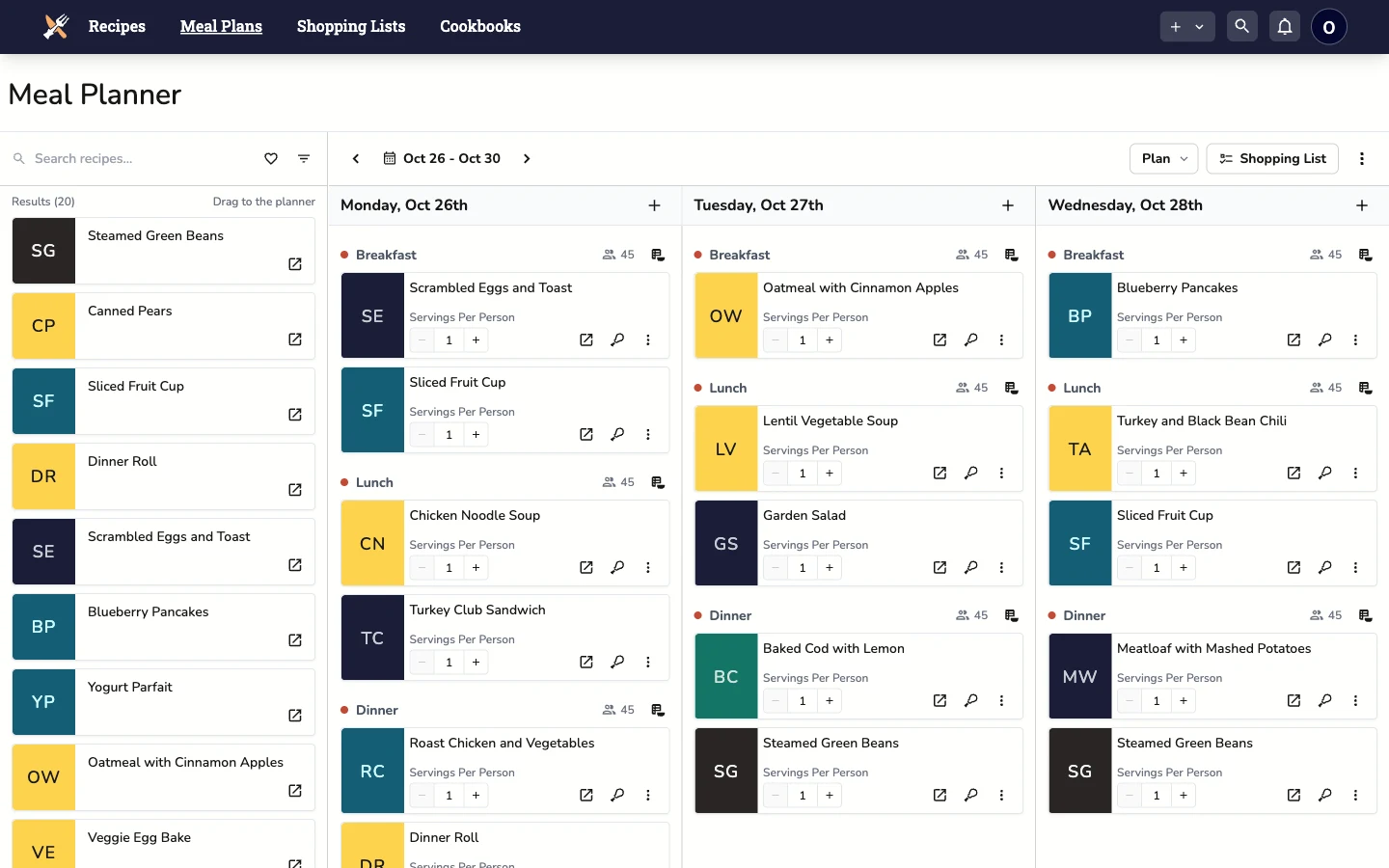
Your meal plan now only shows the meal types you’ve enabled. In this example Snack and Notes are hidden, so each day shows only Breakfast, Lunch and Dinner.
Example Use Cases
Senior Living Facility: Serves all meals → Keep all meal types enabled
School Cafeteria: Only serves lunch → Hide breakfast, dinner, and snack
Corporate Cafeteria: Serves lunch and snacks → Hide breakfast and dinner
Community Kitchen: Serves lunch and dinner → Hide breakfast and snack
Making Changes Later
You can change these settings anytime by returning to Meal Plan Settings and adjusting the toggles. This flexibility allows you to adapt as your facility’s needs change.