
Scaling Meal Servings
Learn how to adjust the number of people to feed, both as a default setting and for specific days.
Included in Facility plans
Our team turns it on when you join that plan. Facility plans
Recipinned makes it easy to scale your meal plans based on the number of people you’re serving. You can set default serving sizes and make day-specific adjustments as needed.
Video Tutorial
Two Ways to Scale Servings
There are two approaches to changing the number of people you serve:
- Adjust the default for all meals going forward
- Override for a specific day when you have different attendance
Adjusting Default Number of People to Feed
Use this method to set your standard number of people to serve.
Steps
-
Open Meal Plan Settings
- Go to your meal plan page
- Click the More Actions button (the three dots at the right of the toolbar)
- Select Meal Plan Settings
-
Update the Default
- In the Meal Plans section, set Default people to serve to the number of people you usually serve
- The change saves on its own
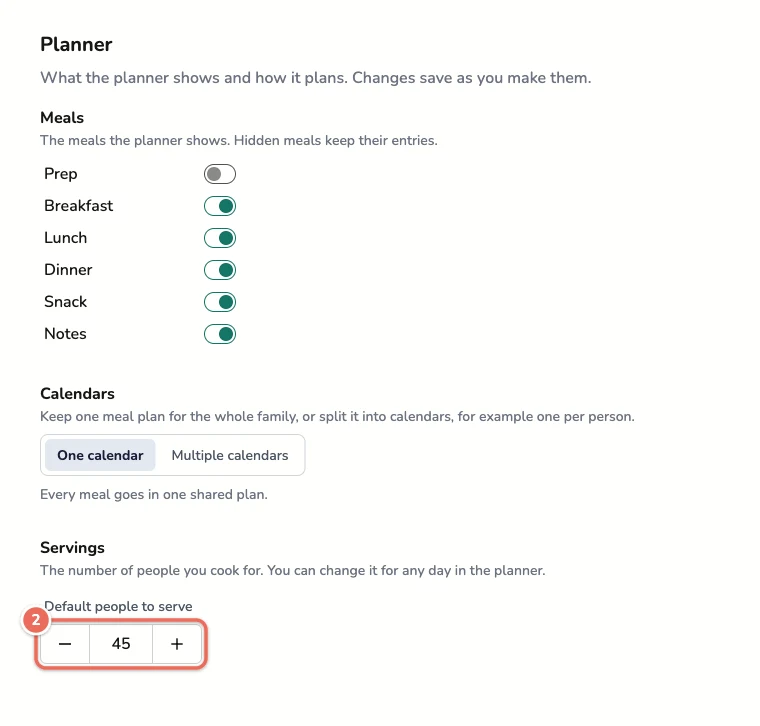
The default applies to every day on your calendar that doesn’t have an override.
Note: For facility accounts, only a site admin can change the default.
Adjusting Servings for a Specific Day
Use this method when you need to serve a different number of people on particular days (special events, lower attendance, etc.).
Steps
-
Find the Day
- Go to your meal plan calendar
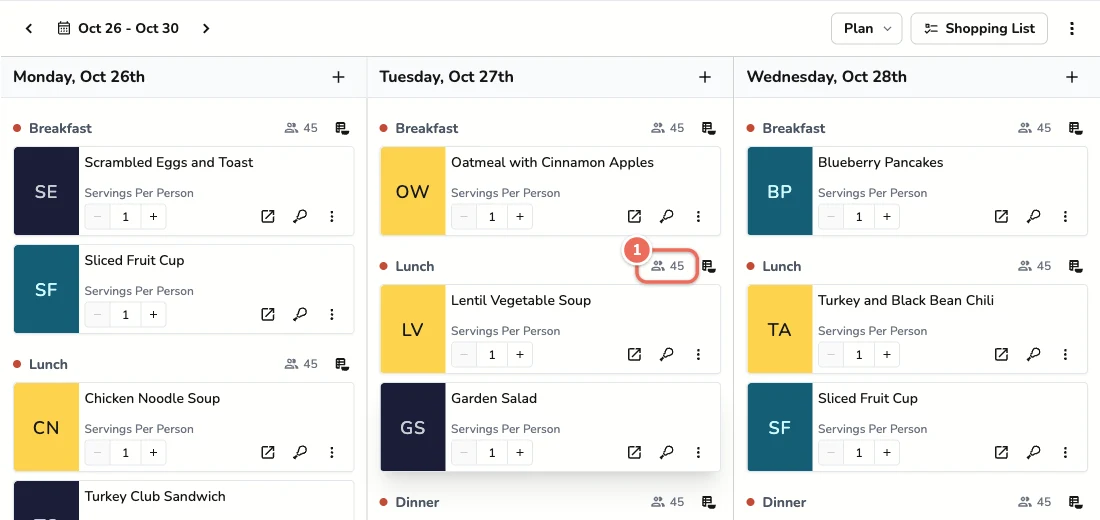
- Next to each meal heading, a people icon shows how many people that day serves (for example, 45)
-
Open the Override
- Click the people icon next to any meal on that day
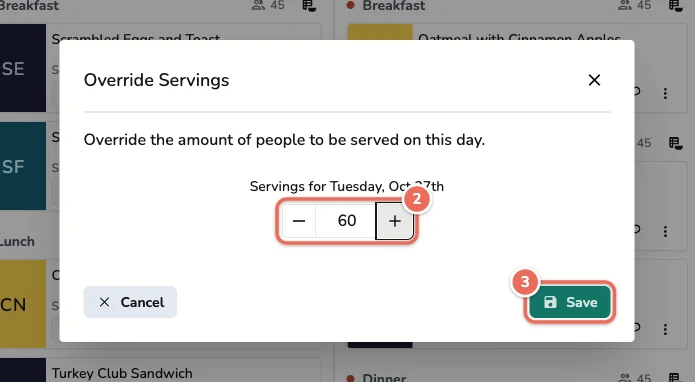
- Update the Number
- Enter the number of people for that day
- Click Save
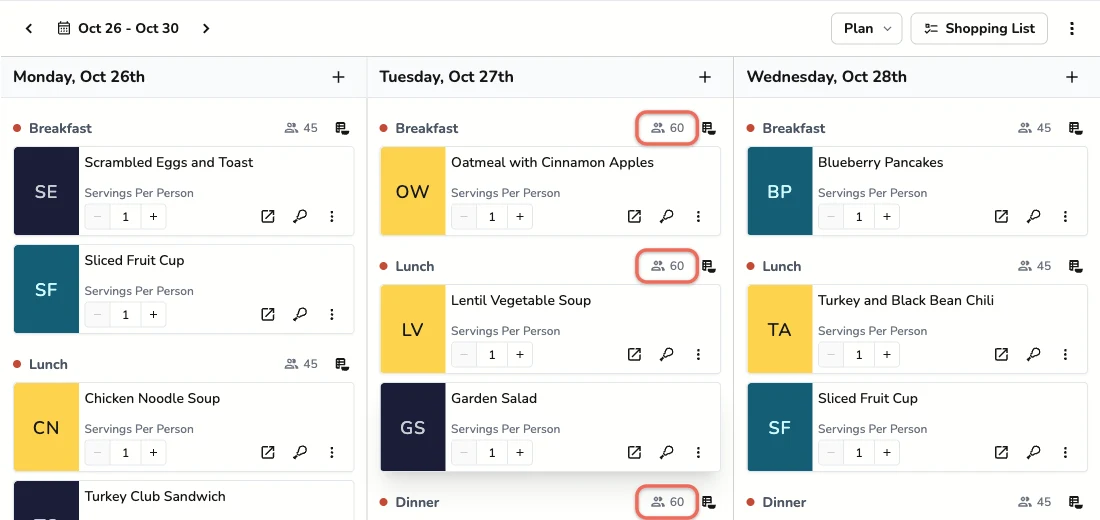
The new number applies to every meal on that day. Other days keep the default.
Servings Per Person
Each recipe on the calendar also has a Servings Per Person stepper. Use it when people get more than one serving of a recipe, such as two dinner rolls each. When you build a shopping list, Recipinned multiplies it by the number of people to serve that day.
When to Use Each Method
Default Settings - Use When
- Setting up your facility’s standard capacity
- Most days serve the same number of people
- You want consistency across your meal planning
Day-Specific Overrides - Use When
- Special events with more attendees
- Holidays with reduced attendance
- Temporary changes in capacity
- Testing different serving sizes
Benefits of Proper Scaling
Accurate Shopping Lists: Ingredient quantities automatically adjust based on serving sizes
Waste Reduction: Prepare the right amount of food for your actual attendance
Cost Control: Purchase appropriate quantities to match your needs
Nutrition Compliance: Maintain proper nutritional standards regardless of serving size